
Sender profiles & deliverability
Creating a 'From' identity, and the habits that keep your sender reputation healthy.
Sender profiles
A sender profile is the reusable "From" identity (name and address) you pick when configuring a broadcast or automation email. Manage them at Settings → Sender Profiles.
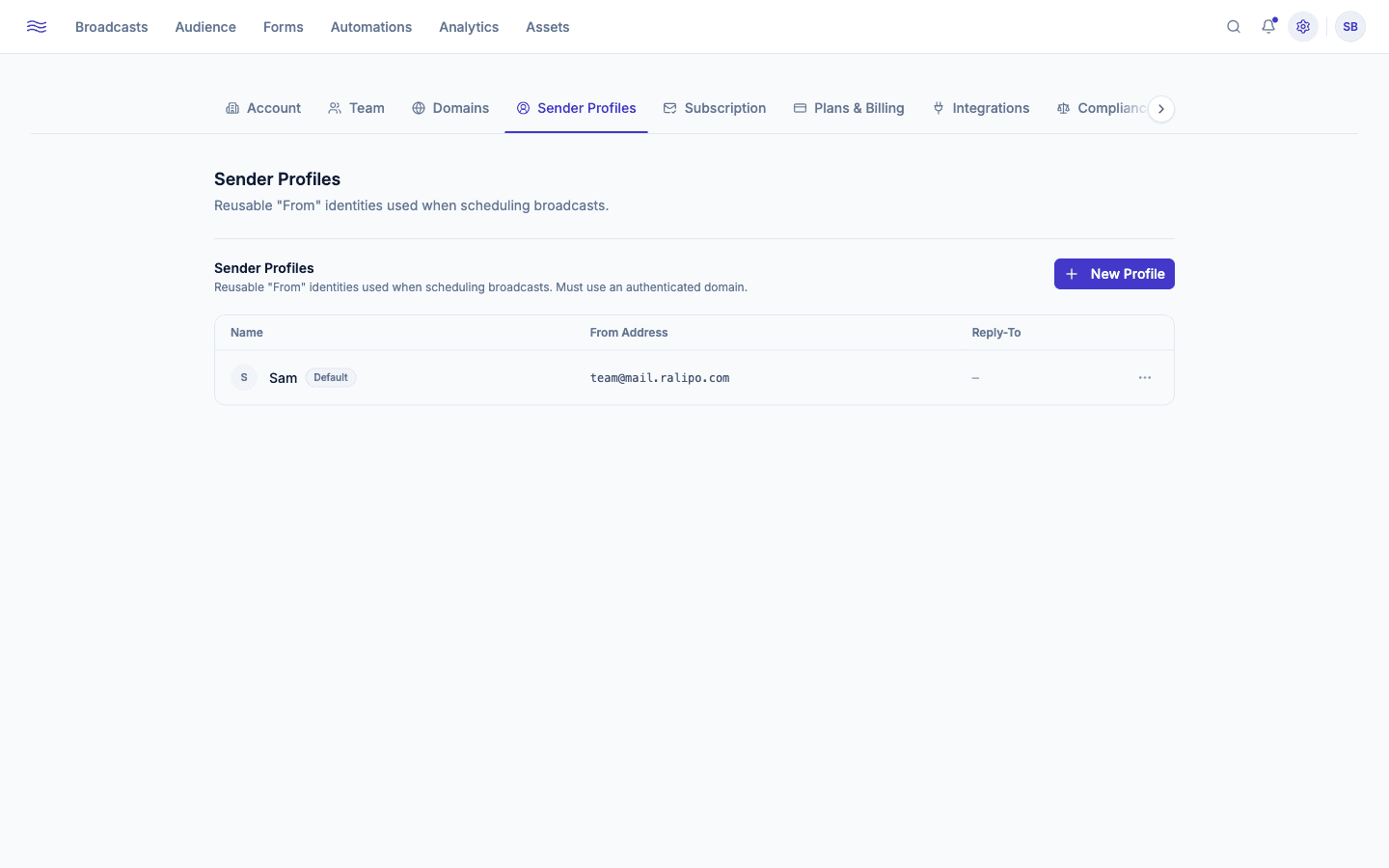
Creating one
Click Create and fill in:
- From Name: e.g. "Sam from Yourbrand"
- From Email: a local part (
hello,news, etc.) plus a dropdown of your verified domains - Reply-To Address (optional): where replies actually land, if different from the From address
Free addresses aren't allowed
You can't use @gmail.com, @yahoo.com, or any other free-mail domain as a sender. Peleka requires a domain you've authenticated (see Verifying a sending domain), since free-provider addresses fail their own DMARC policy when sent through third-party infrastructure like Peleka's. If you haven't verified a domain yet, this screen shows a Verified Domain Required message linking straight to Settings → Domains.
Once conditions are met (matching, verified domain), a sender is marked Verified immediately; there's no separate confirmation email to click, since trust is inherited from the domain's own DKIM/SPF/DMARC setup. The email address itself can't be changed after creation (create a new sender profile instead).
The first sender you create becomes your default automatically. If you delete the default, the next verified sender in the list takes over that role.
Deliverability best practices
Every suppression, warmup, and domain-review mechanism in Peleka exists because of this one rule. Purchased or scraped lists are explicitly prohibited (you have to confirm this on every CSV import) and are the single fastest way to trip warmup's automatic pause thresholds.
Settings → Compliance has a One-click unsubscribe (RFC 8058) toggle, on by default. It adds headers that let Gmail, Outlook, and others show a native "Unsubscribe" button right in the inbox, and recipients who can unsubscribe easily are far less likely to hit "report spam" instead. Turning it off risks throttling from major providers once you're sending more than ~5,000 emails/day.
A 2% bounce rate or 0.1% complaint rate sounds small, but both are close to the thresholds that auto-pause warmup (3% hard bounce, 0.3% complaint). Check Broadcast analytics after every send, especially early in a new domain's life.
If you're migrating from another ESP with an existing engaged list, answer the domain setup question honestly ("Yes, regularly") to get the faster warmup track, but still expect a ramp period. Don't blast your full list on day one even if the cap would technically allow it.
It's a great re-engagement tool, but resending too aggressively to people who've shown no interest is exactly the pattern that drives complaints. Reserve it for your best content.