
Templates overview
Reusable starting points for broadcasts and automations.
A template is a saved email design you can reuse across broadcasts and automations, so you're not rebuilding the same layout every time. Templates live under Broadcasts → Templates, right next to your campaign list.
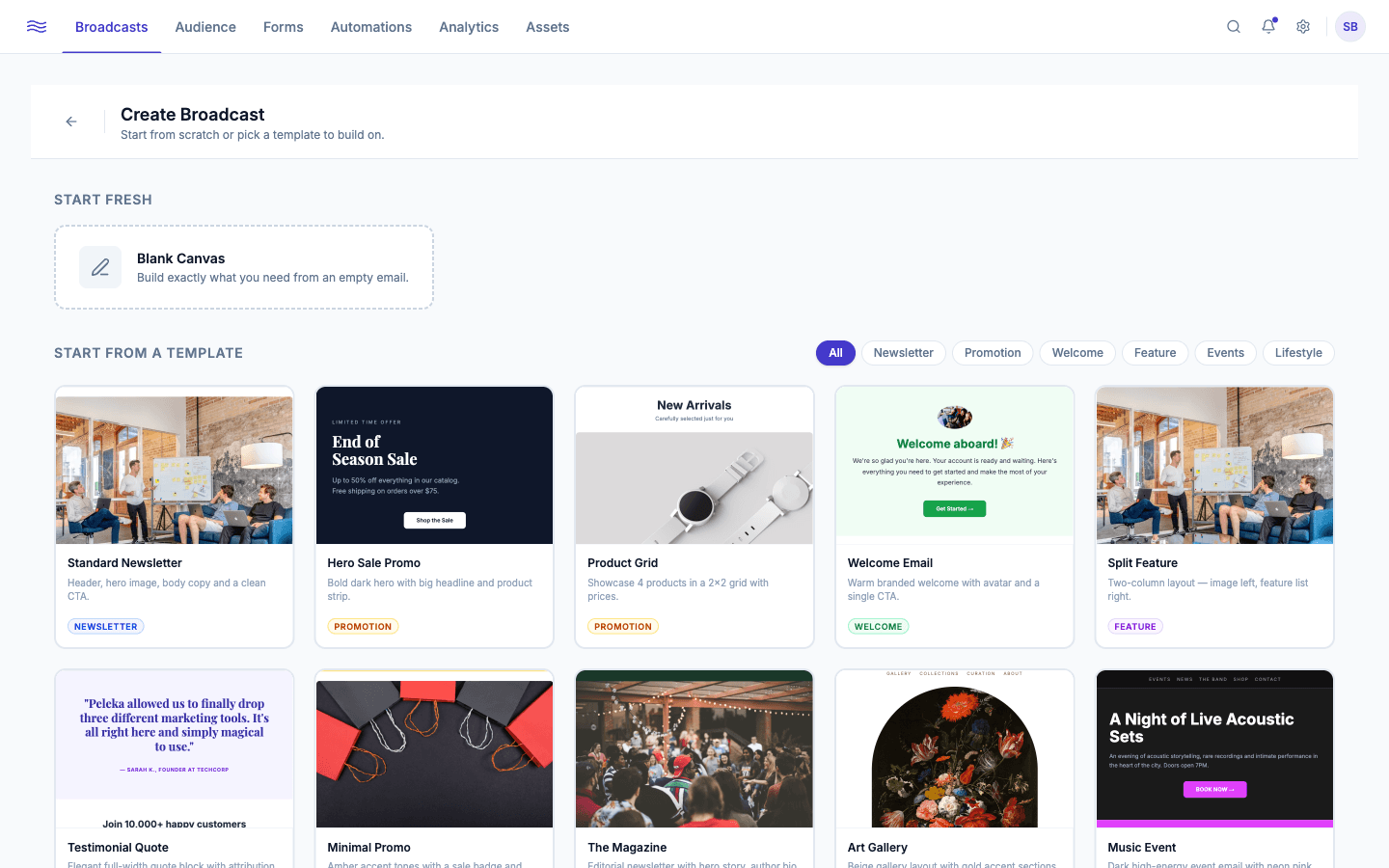
Browsing templates
The Templates gallery shows built-in and custom templates side by side, filterable by category (All, Newsletter, Promotion, Transactional, Welcome, Feature, Events, Lifestyle). Each card shows a live thumbnail; hover for Preview and Use Template, or open the ⋯ menu for Edit, Duplicate, and Delete.
Built-in starter categories include Newsletter, Onboarding (Welcome Email, Welcome Series), Promotion, Announcement, Re-engagement, Sales / Lead Nurture, and Retention: a solid head start for the most common send types.
Creating a template
Click New Template to open the same drag-and-drop canvas used for broadcasts (see The email builder) with a lightweight header: an editable name field, a Draft badge, Undo/Redo, a preview toggle, and Save Template.
Using a template
Use Template on any card, built-in or custom, routes you straight into the broadcast builder with that design pre-loaded, ready to edit the copy, subject line, and audience. The same picker appears when you're configuring the "Send Email" step of an automation.