
Scheduling & sending
Send now, schedule for a fixed time, or deliver in each subscriber's local timezone.
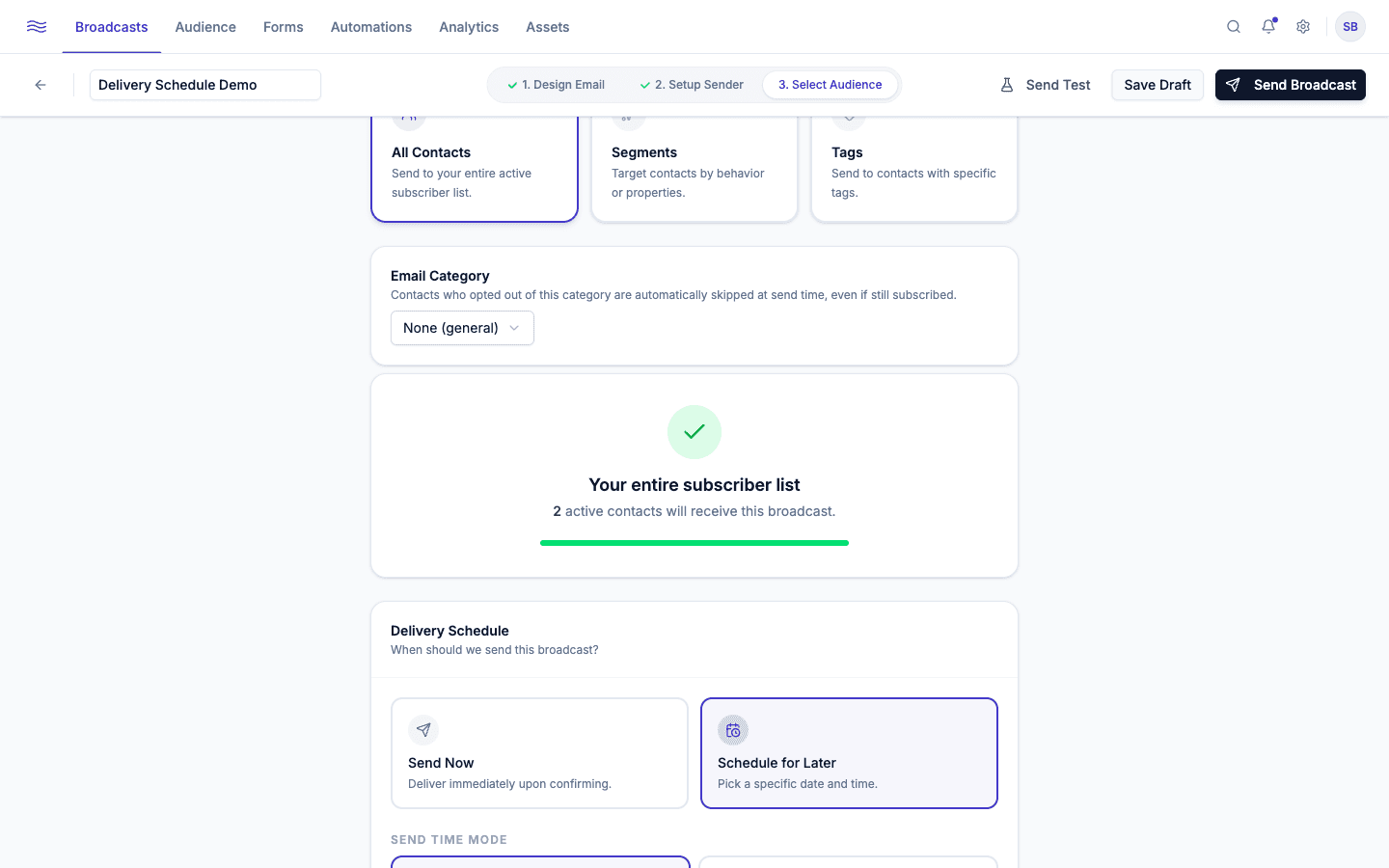
The Delivery Schedule panel is the last thing you configure on Step 3 of the broadcast builder, right after choosing your audience.
Send now or schedule
Two cards: Send Now and Schedule for Later. Choosing to schedule reveals a Send time mode choice:
Everyone receives the email at the same moment. Pick a single date and time using the datetime picker. Peleka shows a reminder that times are displayed in your account timezone (set in Settings → Account), not UTC or the recipient's own timezone.
Canceling or editing a scheduled send
A Scheduled broadcast is still fully editable: open it and make changes, or cancel it from the list's ⋯ menu, which reverts it to a Draft.
A/B testing
If you turned on A/B Test Subject Lines in Step 2, the send happens in two phases automatically:
- Both variants go out to a slice of your audience (set by the Test Audience Split slider: e.g. a 20% split sends Variant A to 10% and Variant B to 10%).
- After a set test window (a few hours), Peleka compares open counts (ties broken by clicks) and automatically sends the remaining, un-sent audience the winning subject line. You can also pick a winner manually before the window closes.
When something goes wrong
If a send comes back Partial or Failed, use Retry Send from the row menu. Peleka only re-attempts the recipients that actually failed, not the whole audience again. Persistent failures are usually a deliverability signal worth checking against Verifying a sending domain.
After it sends
Once a broadcast has been out for at least 24 hours, Resend to non-openers becomes available from the row menu: a quick way to give a campaign a second chance with a fresh subject line, sent only to the contacts who never opened the original.