
Subscription & billing
How Peleka pricing works, pay-as-you-go credits, and managing invoices.
Peleka is priced by contact list size, not by how many emails you send. Sends on a subscription plan are unlimited. Manage everything from Settings → Plans & Billing (owner only).
Starting out: your free trial
Every new workspace starts with 500 free contacts and 500 email sends, no credit card required.
Subscription plans
Choose Monthly or Annual billing (annual saves roughly 18%). Plans are tiered purely by contact count, from 1,000 contacts up to 100,000:
| Contacts | Monthly | Annual (per month) |
|---|---|---|
| 1,000 | $9.99 | ~$8.19 |
| 2,500 | $19.99 | ~$16.39 |
| 5,000 | $39.99 | ~$32.79 |
| 10,000 | $59.99 | ~$49.19 |
| 15,000 | $79.99 | ~$65.59 |
| 20,000 | $109.99 | ~$90.19 |
| 25,000 | $139.99 | ~$114.79 |
| 30,000 | $179.99 | ~$147.59 |
| 40,000 | $199.99 | ~$163.99 |
| 50,000 | $229.99 | ~$188.59 |
| 70,000 | $299.99 | ~$245.99 |
| 100,000 | $399.99 | ~$327.99 |
(Intermediate tiers at 35k, 45k, 60k, 80k, and 90k contacts are also available; see the in-app pricing table for the complete list.) Need more than 100,000 contacts? Contact sales for an Enterprise plan.
You can't pick a tier below your workspace's current contact count — those options are disabled, and the picker defaults to the smallest tier that fits your list.
Pay-as-you-go credits
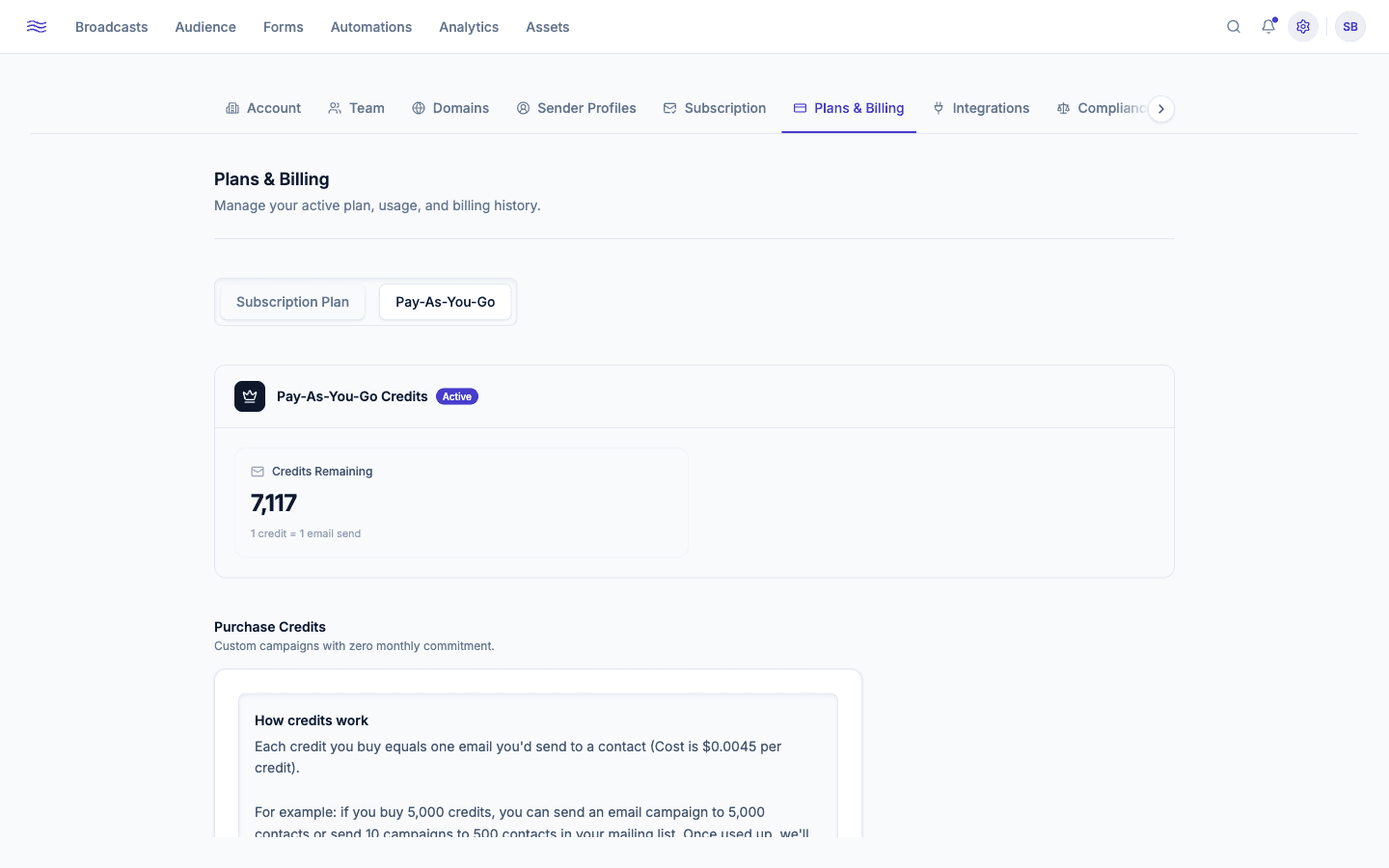
Prefer not to commit to a monthly plan? Switch to Pay-As-You-Go: buy a block of credits (1,000–100,000 at a time, $0.0045/credit) where 1 credit = 1 email sent. Configure Auto Top-Up to automatically purchase more once your balance drops below a threshold you set, so you don't get caught mid-campaign with an empty balance.
Switching between a plan and credits
Credits → subscription forfeits leftover credits
Moving from Pay-As-You-Go to a subscription plan forfeits any remaining credit balance (zeroed out once the subscription payment goes through). Peleka shows a confirmation dialog first.
Going the other way, subscription → Pay-As-You-Go is scheduled, not immediate. Your plan keeps working until the end of the current billing period; the credit block you choose is confirmed now but only charged when the subscription actually ends, at which point the credits activate. While a switch is pending:
- The plan card shows a "Switches
<date>" badge instead of "Active". - Undo switch / Keep subscription cancels the scheduled change and the pending credit purchase.
- Proceed to Checkout for a separate credit purchase is disabled until the switch resolves or is undone.
When more than one card is on file, a picker lets you choose which one to charge rather than jumping straight to "add a new card".
Payment methods & invoices
Add and manage cards under Payment Methods; Billing History lists every invoice with a downloadable PDF and its status (Paid, Open, Void).
Cancelling
Cancel subscription keeps your plan active through the end of the current billing period. After that, your account reverts to the free tier and sending pauses until you reactivate or add credits. If you cancel and change your mind before the period ends, a Reactivate plan button appears in the same place.
When sending gets blocked
If a send fails outright rather than partially, it's usually a billing issue, not a deliverability one:
| Error | Cause |
|---|---|
| Insufficient credits | Pay-as-you-go balance hit zero |
| Subscription expired | No active (or a cancelled) subscription |
| Payment past due | Your card on file failed |
| Monthly send limit reached | Hit the fair-use ceiling on a subscription plan |
Test sends to yourself are exempt from consuming credits, but are still blocked if billing itself is inactive.