
Preference center & subscription pages
Email categories, and every page a contact sees during opt-in and unsubscribe.
Email categories (Preference Center)
Settings → Preference Center lets you define categories a contact can opt in or out of individually: "Product Updates," "Promotions," "Weekly Digest," whatever fits how you segment your own sending.
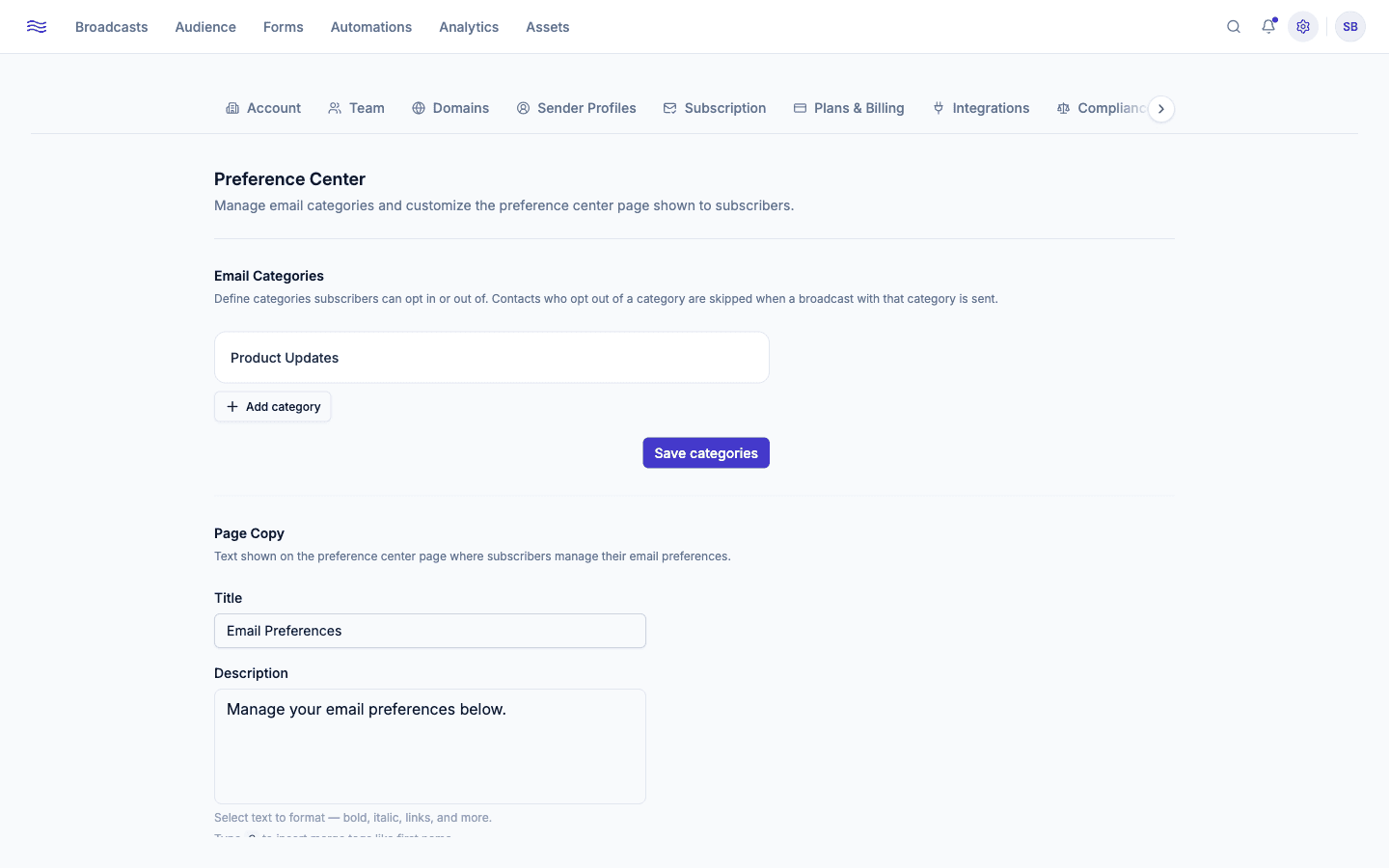
Each category has a name, an optional description, and a "Required (cannot be opted out)" toggle for anything transactional you always need to be able to send. Once categories exist, an optional Email Category picker appears on Step 3 of the broadcast builder. A contact who opted out of that category is skipped automatically at send time, even if they're still subscribed overall. Deleting a category stops that filtering going forward (previous opt-outs are no longer enforced, since there's nothing left to opt out of).
Page copy
Customize the preference center page itself: title, description (rich text, supports @-mention merge tags like first name, though a fallback value is required before you can save, so the page never renders a literal blank), a success message, and which profile fields a contact is allowed to edit themselves (first name, last name, phone number).
Subscription flow pages
Settings → Subscription covers every page a contact sees around subscribing and unsubscribing, across three tabs.
The double opt-in confirmation email itself: subject line, logo/socials toggles, a rich-text body (with @-mention merge tags), and full control over the confirm button (text, background color, text color, and alignment), with a live preview as you edit.
Hex colors are validated
Every color field across these pages checks for a valid #rgb or #rrggbb value. An invalid entry blocks saving and jumps you straight to the offending tab, so you won't accidentally publish a broken color.